What settling a route means
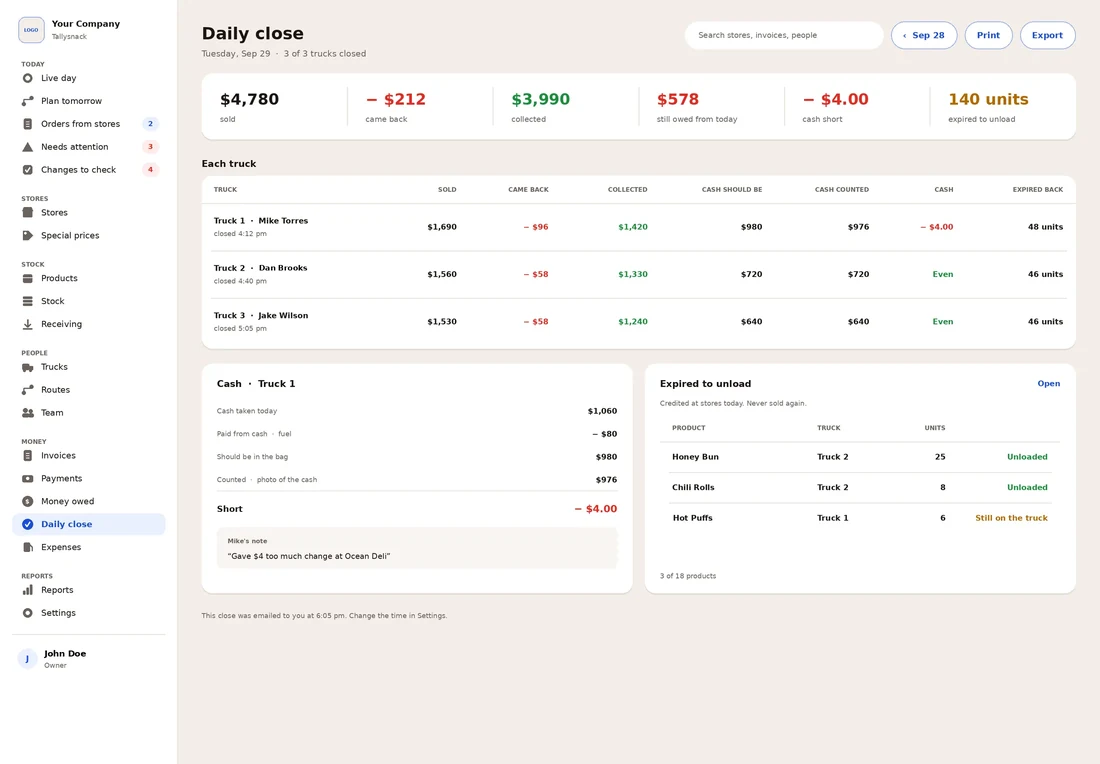
Settling, or checking in, a route is the end-of-day match between two things: what the invoices say the stores paid, and the cash and checks the driver actually hands over. Each invoice already shows what the store owed and how it paid. Add those up, count the money, and the two totals should agree.
The value is in the timing. A difference found the same evening is usually one wrong line on one invoice, and the driver still remembers the store. A difference found at the end of the week has five days of invoices around it and becomes a guess.
Settle in this order
- Gather every invoice copy first. Sort them by number and look for gaps. A missing number is either a voided invoice, which should come back marked VOID, or a lost one.
- Write one line per invoice. Enter the invoice total after credits, then how the store paid it: cash, check, card or nothing yet.
- Add the money that didn’t come from today’s invoices. Payments on old balances come in; cash spent on the road with a receipt goes out.
- Count the cash by bill before looking at the expected total. Counting toward a number you already know makes it easy to stop at that number. Count twice, or have a second person count.
- Count the checks and tie each one to an invoice or an old balance.
- Compare, and write a note for any difference before anyone leaves for the night.
The settlement sheet
Six short parts, top to bottom. The totals add up as you type. Press “Load example” to see a filled-in truck first.
1Route
2Today’s invoices
3Other money in and out
4Count the money
5Settle
Invoices 0Invoiced $0.00Collected today $0.00New unpaid $0.00Card / other, check against the processor $0.00
6Sign-off
A general business template, not accounting, tax or legal advice. Example data is made up.
When the count is off
A few dollars either way happens on any cash route. The single day matters less than the pattern: the same truck short every Friday, or short by the amount of one credit, points to a cause you can fix. Our guide to route cash that doesn’t match the invoices walks through nine common causes and has a gap finder that checks a difference against your invoices.
Before charging a shortage to a driver’s pay. The U.S. Department of Labor says that under the federal Fair Labor Standards Act, an employer can’t make an employee cover a cash shortage when doing so brings pay below the federal minimum wage ($7.25 an hour) or cuts into overtime pay owed. That holds even if the shortage is caused by the employee’s carelessness, and even if the employee pays it back in cash instead of through a paycheck deduction. Some states set stricter limits. Check with your state labor department or an employment lawyer before deducting anything.
Using the Excel version
This workbook comes with two sheets. Settlement matches the sheet above: type each invoice, the other money and the bill count, and the expected cash, counted cash and over or short fill in. Over-short log keeps one line per truck per day, so a pattern shows up over a month instead of hiding in a stack of paper. Save a copy of the Settlement sheet for each day, or clear the yellow cells and reuse it.
Questions
How often should a route be settled?
Every day the truck runs. Daily settling keeps each difference small and tied to one day of invoices. Weekly settling saves a few minutes a day and makes every difference harder to trace.
Who should count the cash?
Ideally two people: the driver and someone from the office. If only one person counts, count twice and write the total before comparing it to the expected amount.
What is the starting cash, or change fund?
A fixed amount of small bills and coins the truck carries so the driver can make change. It goes out every morning and should come back every night, so it is added to the expected cash and then held back from the cash handed in.
A store paid an old balance today. Where does that go?
In part 3, not on today’s invoice lines. Keeping it separate means today’s invoices still show what was sold today, and the old balance can be marked paid in your records.
Why aren’t card payments counted?
Card payments never reach the truck as money. They are listed so the day adds up, then checked against your card processor’s report for that date.
How long should I keep settlement sheets?
Keep them with the invoices they match, for as long as you keep those records. Ask your accountant how long that should be for your business.
Is what I type sent anywhere?
No. The sheet runs in your browser and saves only in this browser, so it’s still there if you reload. Use “Clear sheet” to remove it. See the privacy notice at the bottom of the page.
Related for DSD teams
Settle every truck without the paper.
Tallysnack puts invoices, credits and payments on the driver’s phone and lines up each truck’s cash against its invoices at the end of the day. We are building it now. Join the list for monthly updates on the build.
Who we are. Tallysnack makes route software for direct store delivery (DSD) snack, candy and beverage distributors. It’s built by a family that has run snack routes for more than 30 years, and it is in development. See how it works
Sources
- U.S. Department of Labor, Wage and Hour Division: Fact Sheet #16, deductions from wages under the FLSA (reviewed October 20, 2026)